Ever wondered if a game is still worth downloading, or if your favorite title is dying out? That question sends millions of gamers to player-tracking sites every month — and PlayerCounter is one of the names that keeps coming up.
If you’ve landed here wondering exactly what PlayerCounter is, how it works, and whether you can trust its numbers, this guide covers it all in plain language.
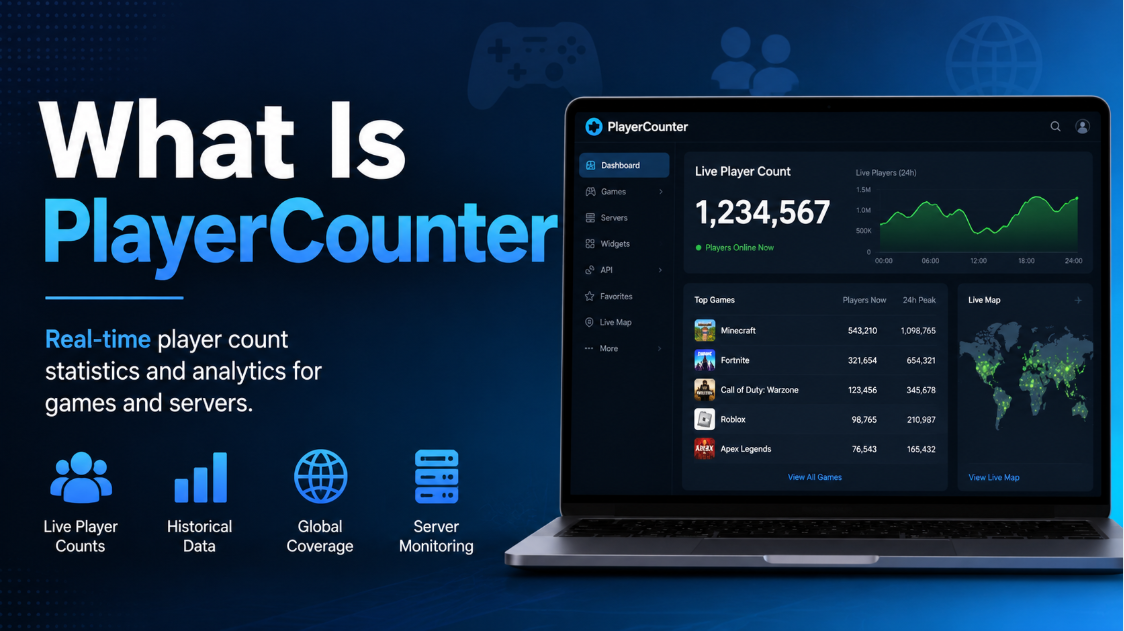
What Is PlayerCounter?
PlayerCounter is an online gaming tracker website that shows live and historical player counts for popular online games. Instead of guessing whether a game is still active, you can check a dashboard-style page and see roughly how many people are playing right now.




The site covers big multiplayer titles like Fortnite, Valorant, League of Legends, Minecraft, Counter-Strike 2, Roblox, Apex Legends, and dozens of others. Beyond raw numbers, it also publishes related gaming content — cross-platform play guides, in-game term explainers, server status updates, and currency conversion tools like Robux-to-USD or V-Bucks-to-USD calculators.
In short, it’s less a single tool and more a small hub built around one core idea: helping players understand how alive a game really is.
Why People Search for Player Counts
There are a few common reasons someone checks a live player counter:
- Deciding whether to buy or download a game — nobody wants to spend money on a game with an empty matchmaking queue.
- Checking if a game is dying or growing — useful for competitive players choosing which title to invest time in.
- Troubleshooting matchmaking issues — long queue times often correlate with lower active player counts.
- Curiosity and comparison — seeing how a game stacks up against similar titles.
- Content creators and analysts — YouTubers and writers often reference player numbers to support videos or articles.
How Does PlayerCounter Get Its Numbers?
Most player-tracking sites, including PlayerCounter, pull data from a mix of sources rather than one single feed. Common methods across the industry include:
- Public APIs from platforms like Steam, which openly shares concurrent player data for many titles.
- In-game or server-side data where publishers make numbers publicly accessible.
- Estimates and modeling for games that don’t expose official numbers — this is common for console-exclusive or mobile titles where no public API exists.
It’s worth being upfront here: not every number on any player-count site is a perfectly verified, real-time figure straight from the publisher. For games with open APIs (like most titles on Steam), the data tends to be quite reliable. For games without public APIs, sites often rely on estimates, so treat those numbers as a general indicator of popularity rather than an exact headcount.
Player Count Accuracy at a Glance
| Data Source Type | Example Games | Reliability |
|---|---|---|
| Official public API (e.g., Steam) | Counter-Strike 2, PUBG, Rust | High — near real-time |
| Publisher-shared stats | Some live-service titles | Moderate — depends on update frequency |
| Estimated/modeled data | Console-only or closed-platform games | Lower — treat as an approximation |
PlayerCounter vs Other Player Tracking Sites
PlayerCounter isn’t the only site doing this. Steam Charts, ActivePlayer, and a handful of others cover similar ground, especially for PC games. Here’s how they generally compare:
- Steam Charts focuses specifically on Steam’s own concurrent player data — very accurate for Steam titles, but it doesn’t cover console or mobile games.
- ActivePlayer aims for broader cross-platform estimates, blending console, PC, and mobile data.
- PlayerCounter takes a similar cross-platform approach, pairing player numbers with extra content like cross-play guides, gaming terminology explainers, and currency calculators.
If you only care about Steam numbers, a Steam-specific tracker will usually be more precise. If you want a wider view across platforms plus some extra gaming resources in one place, a site like PlayerCounter can be more convenient.
How to Read a Player Count Page
Most player count pages follow a similar layout. Here’s what the numbers usually mean:
- Current/Live Players — an estimate of people actively in-game right now.
- Peak Players (24h or all-time) — the highest number recorded in a set time window, useful for spotting trends.
- Historical Trend — a chart showing whether the player base is growing, shrinking, or holding steady over weeks or months.
A single snapshot number can be misleading. A game showing “50,000 online” at 3 AM your time zone might show double that during peak evening hours in a different region. Always check the trend line, not just the current figure, before drawing conclusions about a game’s health.
People can also read this: Counter-Strike 2 Gameplay What Actually Changed From CS:GO
Is Checking Player Counts Actually Useful?
Yes, with some context. Player counts are a solid signal for:
- Judging whether matchmaking will be fast or slow.
- Spotting a game’s long-term decline or growth pattern.
- Comparing the relative popularity of similar games in the same genre.
They’re less useful for:
- Judging game quality — a niche game can have a small but loyal player base and still be excellent.
- Predicting shutdowns with certainty — publishers rarely confirm exact thresholds for when a game gets discontinued.
Final Thoughts
Player counters like PlayerCounter give you a quick, useful snapshot of how active a game really is — handy for deciding what to play next, checking matchmaking speed, or just satisfying curiosity about a title’s popularity. Just remember to look at trends over time, not a single number, and to weigh the data source before treating any figure as gospel. Used that way, a player counter becomes a genuinely handy tool in any gamer’s toolkit.
FAQs
Is PlayerCounter free to use?
Yes. Sites like PlayerCounter are free to browse — you don’t need an account to check player numbers or read the game guides.
How often are player counts updated?
This varies by game and data source. Titles with public APIs, such as many Steam games, tend to update in near real time, while other games may refresh less frequently.
Can I trust the numbers 100%?
Treat them as a strong estimate rather than an exact figure, especially for games without an official public API. For Steam titles, the numbers are usually very close to accurate.
Does PlayerCounter track console-only games?
Some console and mobile titles are covered, but because platforms like PlayStation and Xbox don’t publish open player data the way Steam does, those figures are typically estimates.
Why do player counts change so much throughout the day?
Time zones play a huge role. A game can look “dead” during off-peak hours in one region and “thriving” a few hours later when another region’s evening begins.
Is a low player count always a bad sign?
Not necessarily. Some games maintain small, dedicated communities for years. A low but stable number can mean a healthy niche audience rather than a dying game.
For more updates visit: GAME TYPES