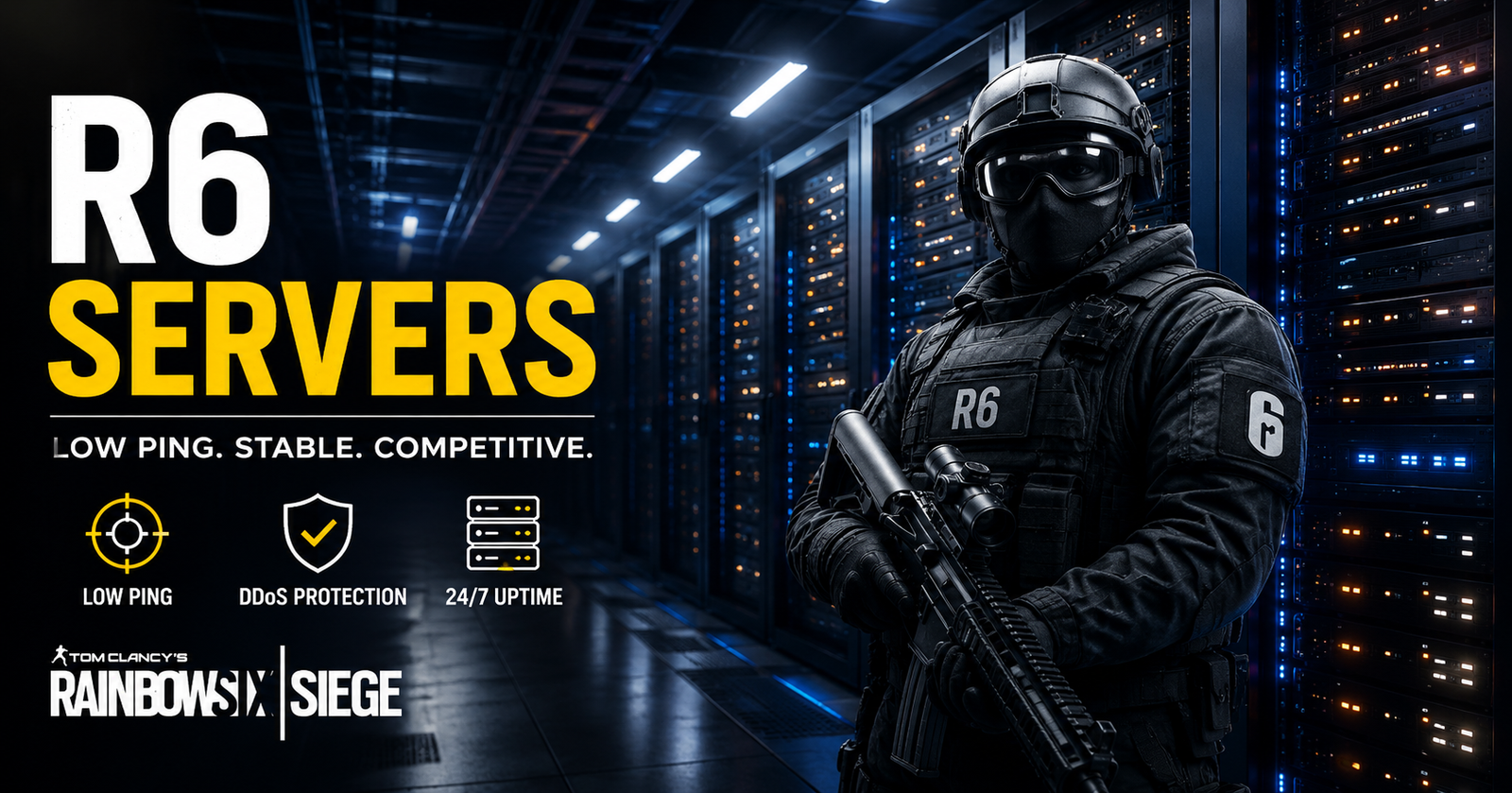
R6 servers are an important part of the Rainbow Six Siege experience. They handle online matches, matchmaking, player connections, and much of the communication between players during a game. When the servers work well, matches usually feel smooth and responsive. When something goes wrong, players may notice lag, failed matchmaking, disconnects, or login problems.
Rainbow Six Siege is a competitive game, so even a small connection problem can affect a match. However, not every problem comes from the R6 servers. Your internet connection, network settings, platform, or game installation can also cause issues. Understanding the difference can help you find the right solution faster.
In this guide, we explain how R6 servers work, why server problems happen, what common errors mean, and what you can do when Rainbow Six Siege is not connecting properly.


What Are R6 Servers?
R6 servers are the online systems that allow Rainbow Six Siege players to compete in multiplayer matches. They connect players, manage game sessions, and help keep important match information synchronised.
When you join an online match, your game communicates with a server rather than relying only on another player’s computer. This setup helps provide a more consistent multiplayer experience and allows the game to manage players within the same match.
The quality of your connection to an R6 server can affect ping, latency, and overall gameplay. A server that is geographically closer to you will often provide a better connection, although network routing can also influence performance.
How Do Rainbow Six Siege Servers Work?
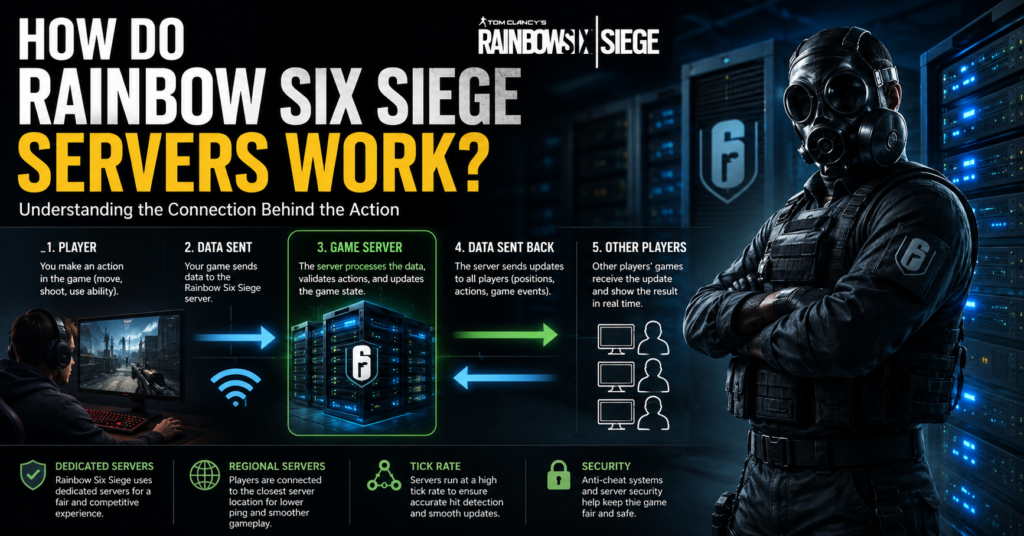
Rainbow Six Siege uses dedicated online infrastructure to support multiplayer gameplay. When you search for a match, the matchmaking system looks for suitable players and creates an online session.
The game then connects players to an appropriate server. During the match, information about player actions and game events is exchanged between the players and the server.
This system is especially important for a competitive shooter. Actions need to be processed quickly, and significant delays can make aiming, movement, and shooting feel less responsive.
Why Are R6 Servers Sometimes Down?
R6 servers can experience temporary problems for several reasons. Planned maintenance is one common cause. Developers may need to take services offline while deploying updates, fixing bugs, or making infrastructure changes.
Large game updates can also place additional demand on online services. When many players attempt to download an update and enter the game at the same time, some services may experience increased traffic.
Unexpected technical problems can happen as well. Server software, network infrastructure, authentication systems, and matchmaking services can all experience faults. In these situations, players may be unable to connect even when their own internet connection is working normally.
Common R6 Server Problems
One of the most common R6 server problems is failed matchmaking. The game may continue searching for a match without successfully placing you into one. This can happen because of a wider service problem or a temporary matchmaking issue.
Another issue is being disconnected from a match. A sudden server-side problem can remove players from an active game. However, an unstable home network can produce a similar result, so it is important to consider both possibilities.
High ping is another common complaint. Ping measures the time it takes for information to travel between your game and the server. Higher ping can make Rainbow Six Siege feel delayed, particularly during fast encounters.
Players may also experience login errors, connection errors, or problems reaching online services. These issues can sometimes affect only one platform or region, while other players continue playing normally.
How to Tell If R6 Servers Are Down
If Rainbow Six Siege suddenly stops working, the first step is to determine whether the problem affects other players.
Check the game’s official service information and community reports for signs of a wider outage. If many players are reporting similar problems at the same time, the issue may be related to R6 servers rather than your device.
You can also test another online game or service. If everything else works normally but Rainbow Six Siege cannot connect, that provides another clue.
It is also worth checking whether the game has recently received an update or maintenance period. Server maintenance can temporarily prevent players from accessing online features.
What to Do When R6 Servers Are Not Working
If the problem is caused by R6 servers, there may not be much you can do locally. In that situation, repeatedly changing your network settings is unlikely to solve the underlying issue.
Instead, wait for the service to recover and try connecting again later. Server-side problems are normally resolved by the teams responsible for the game’s online infrastructure.
If the servers appear to be working for other players, restart Rainbow Six Siege and your gaming platform. A fresh connection can sometimes resolve a temporary authentication or network problem.
You should also restart your router if your internet connection appears unstable. Give it a short amount of time to reconnect before launching the game again.
How to Fix R6 Connection Problems
When R6 servers are online but you are still having problems, start with your internet connection. A wired Ethernet connection can provide more stability than Wi-Fi, especially during competitive matches.
If you use Wi-Fi, try moving closer to your router or reducing other activity on the network. Streaming video, large downloads, and multiple connected devices can increase network congestion.
Restarting your router can also help with temporary connection problems. If the issue continues, check whether other devices on your network are experiencing slow or unstable internet access.
Keeping Rainbow Six Siege and your gaming platform updated is important too. An outdated game version may have trouble connecting after a major update.
Why Is My R6 Ping So High?
High ping does not always mean that R6 servers are having problems. Your distance from the server, internet provider, network congestion, and routing can all affect latency.
Using a server that is farther away can naturally increase ping. Network traffic during busy periods may also cause temporary increases.
A wired connection can help reduce some local network problems. Closing unnecessary downloads and applications may also improve stability.
If your ping suddenly becomes much higher than usual while other online services work normally, the issue may involve server routing or the game’s online infrastructure.
R6 Servers and Server Regions
Server location matters in Rainbow Six Siege because geographical distance can influence latency. Players generally benefit from connecting to a server that provides a shorter and more stable network route.
However, physical distance is not the only factor. Internet service providers use different routes to reach gaming infrastructure, and those routes can sometimes be inefficient.
This means two players in the same country may experience different ping levels. One player may have a stable connection while another experiences higher latency because of their network route.
Can R6 Server Problems Cause Lag?
Yes, server-side problems can contribute to lag, but the word “lag” covers several different issues. High server load, network instability, packet loss, and high latency can all create an unpleasant experience.
Packet loss can be particularly noticeable because information may fail to reach the server correctly. This can cause movement or actions to feel inconsistent.
Before blaming R6 servers, check your own connection. If your ping and connection quality look normal but many players are experiencing the same issue, a wider server problem becomes more likely.
Why R6 Matchmaking Can Take So Long
Long matchmaking times can happen when the matchmaking system has difficulty finding a suitable group of players. Player population, region, game mode, connection quality, and temporary service problems can all influence queue times.
During quieter periods, some modes may naturally take longer to fill. After an update, however, unusually long queues can sometimes indicate a wider technical issue.
If matchmaking repeatedly fails, restarting the game can be worth trying. You can also check whether other online features are working normally.
How to Avoid Common R6 Connection Issues
A stable internet connection is one of the best ways to improve your Rainbow Six Siege experience. Whenever possible, use a reliable wired connection and avoid heavy network activity during competitive matches.
Keep your game, console or PC, and network equipment updated. Regular updates can improve compatibility and resolve known technical problems.
It is also useful to understand whether a problem is local or server-wide. Doing so can save time because you will know whether to troubleshoot your own network or simply wait for an online service to recover.
Conclusion
R6 servers play a major role in keeping Rainbow Six Siege multiplayer matches running smoothly. They support matchmaking, online sessions, player communication, and the competitive experience that makes Siege popular.
When problems occur, the cause may be a server outage, scheduled maintenance, high latency, packet loss, or a local network issue. Checking the wider service status first can help you identify the problem quickly.
If R6 servers are working normally, focus on your own connection, game updates, router, and platform. With a stable network and properly updated game, many common Rainbow Six Siege connection problems can be reduced.
FAQs
What are R6 servers?
R6 servers are the online systems used by Rainbow Six Siege to support multiplayer gameplay. They help manage matches, matchmaking, player connections, and communication between the game and online services.
How can I check if R6 servers are down?
You can check official Rainbow Six Siege service information and recent reports from other players. If many players experience connection or matchmaking problems simultaneously, there may be a wider server issue.
Why can’t I connect to R6 servers?
Connection problems can be caused by server maintenance, outages, internet instability, network congestion, or problems with your gaming platform. Checking whether other online games work can help identify the source.
Why is my R6 ping suddenly high?
High R6 ping can result from network congestion, poor Wi-Fi stability, inefficient routing, geographical distance, or server-related problems. Testing your connection can help determine whether the issue is local.
Can restarting my router fix R6 problems?
Restarting your router can fix temporary network problems and refresh your connection. It will not fix a major R6 server outage, but it can help when the problem is caused by your home network.
Why does R6 matchmaking take so long?
Long matchmaking times can result from a smaller player population, selected game modes, connection conditions, or temporary matchmaking problems. Server issues can also affect matchmaking.
For more updates visit: GAME TYPES